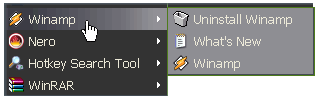
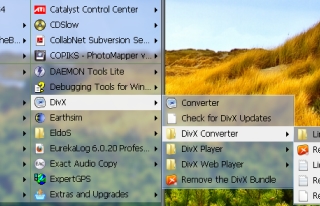
Usually, you first have to find the program folder in the menu and then use its submenu to start the program itself. We made it easier! Vista Start Menu will automatically search through the list of folders and decide which program is the main one in each folder!
After that, you will be able to open the menu and click the necessary folder to start the program you need immediately. If you need access to additional files, just wait until the submenu appears. The folder icon will be replaced with the icon of the main application. All this will help you find and start the necessary programs much faster than ever before.
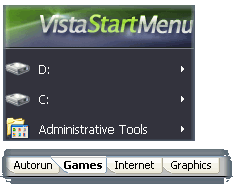
The skin displayed on the screenshot is available in the PRO version of Vista Start Menu only.
It works under OS Windows Vista and Windows 7 which support Aero.
Menu customization
Quick un-install
Arrange your menu the way you like it. The easily customized main list will allow you to change the order of items, add new ones, and remove those you do not need. You can easily increase the number of tabs for any menu item by editing their positions and names.
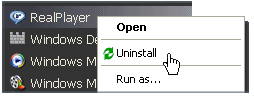
There are also programs that did not add an uninstall shortcut to their menus, so in the past, you had to open the Control Panel and remove them manually.
We solved this problem too! Just right-click the program you want to uninstall and select Uninstall. This feature works with any shortcuts: in the Start menu, on the desktop or on the Quick Launch bar.


.png) 6.
Gift! Tidy Favorites Online! (6 month)
6.
Gift! Tidy Favorites Online! (6 month)